
How to Increase Website Traffic for Free: Simple Google Keyword Search
Learn how to use Google to discover the words and phrases your customers are already searching for. Whether you’re building a new website or updating an existing one, this quick guide will help you find useful keywords and search phrases to consider when writing your website copy.
Preparing Your Website Content?
When you’re writing your website copy, keywords are an important part of your content and SEO strategy. Used naturally throughout your website, they help search engines understand what your business offers and can improve your chances of appearing in relevant search results.
Here’s how it works. When a customer types a search query related to your business into Google, the search engine looks through its vast index of web pages to find the results it considers most relevant. The results are then displayed on the search engine results page (SERP).
You’ll also see paid search results, but in this guide we’re focusing on organic traffic — visitors who find your website through unpaid search results.
Why Keywords Matter for Getting Found on Google
Google’s job is to sift through the vast amount of content on the web and determine which pages are most relevant to a person’s search. Using relevant keywords and phrases throughout your website helps Google understand what your business offers and can improve your chances of appearing in relevant search results.
Keywords can get complicated, tools like SEMrush, KWfinder, Moz and others can help you discover keywords that your target customers are searching, along with advanced metrics.
One of the problems small businesses face, is that they aren’t sure if they need to purchase keyword tools, how to use them or how to analyse the metrics they provide.
Want to know the best way to research your keywords for free?
Listen to the questions your customers are asking you. Your customers questions contain your most important keywords.
Yes, it really is that simple. It’s your customers who call, email, phone, contact you via social media or walk through the door – everything they ask you is a keyword.
If you’re still not convinced your customer is all you need, and you want to do a little more research, why not use Google itself to get some solid evidence on what keywords your target audience is searching.
Pro Tip: The best way to rank higher on Google is to incorporate a number of online strategies that work together to drive more customers to your website and increase sales.
How to Use Google’s Autocomplete to Research Your Keywords
Hubspot estimates that Google processes approximately 5.5 billion search requests daily. Based on this, it’s pretty safe to say, some of those searches might be related to what you’re doing.
Here’s the thing, when you type a query into Google, if you pause for a second, the autocomplete feature predicts what you were going to type, based on the most common questions people are typically asking.
Let’s say you’re a licensed trade. You could try searching electrician Brisbane, licensed electrician Brisbane or electrician near me.
If you’re a health and wellness professional, try physiotherapist Brisbane, nutritionist Brisbane or wellness coach Brisbane.
A real estate agent might search real estate agent Brisbane, property agent Brisbane or buyers agent Brisbane.
If you’re a builder or construction business, try custom home builder Brisbane, home builder Brisbane or renovation builder Brisbane.
A beauty or personal care business could try skin clinic Brisbane, beauty salon Brisbane or cosmetic clinic Brisbane.
And if you’re a professional service business, try searches such as accountant Brisbane, business consultant Brisbane or marketing consultant Brisbane.
The goal isn't to guess which keywords you should use. Let Google show you what people are already searching for, then use those insights to guide the words and phrases you use throughout your website.
Let’s look at a couple of real-world examples.
Say you’re a builder in Brisbane. Start by typing builder Brisbane into Google and see what autocomplete suggestions appear. Then try a slightly different search, such as real estate agent Brisbane. You may find Google suggests different variations and related searches for each industry.
These suggestions can give you valuable insight into the specific words and phrases people are using when they search for businesses like yours.
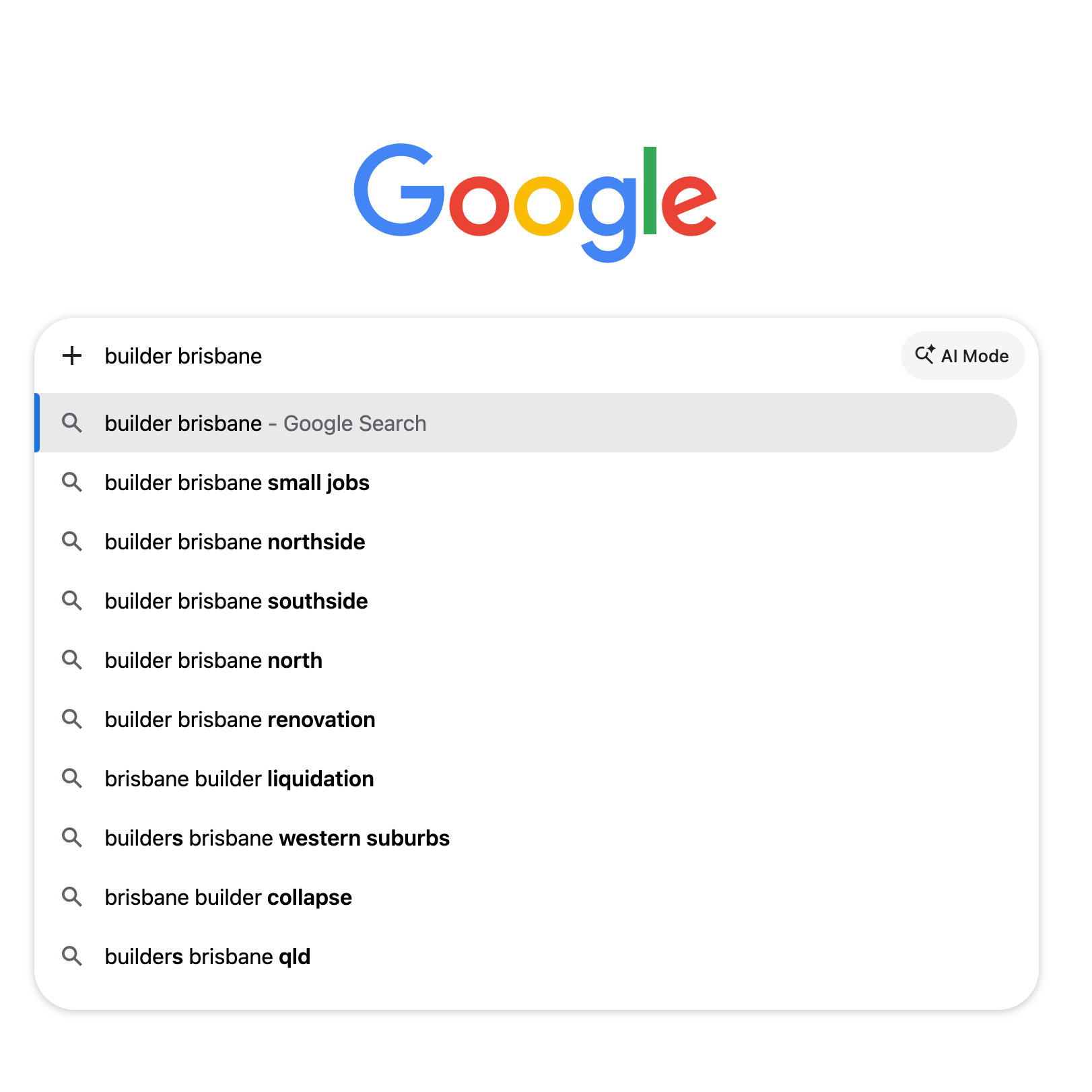
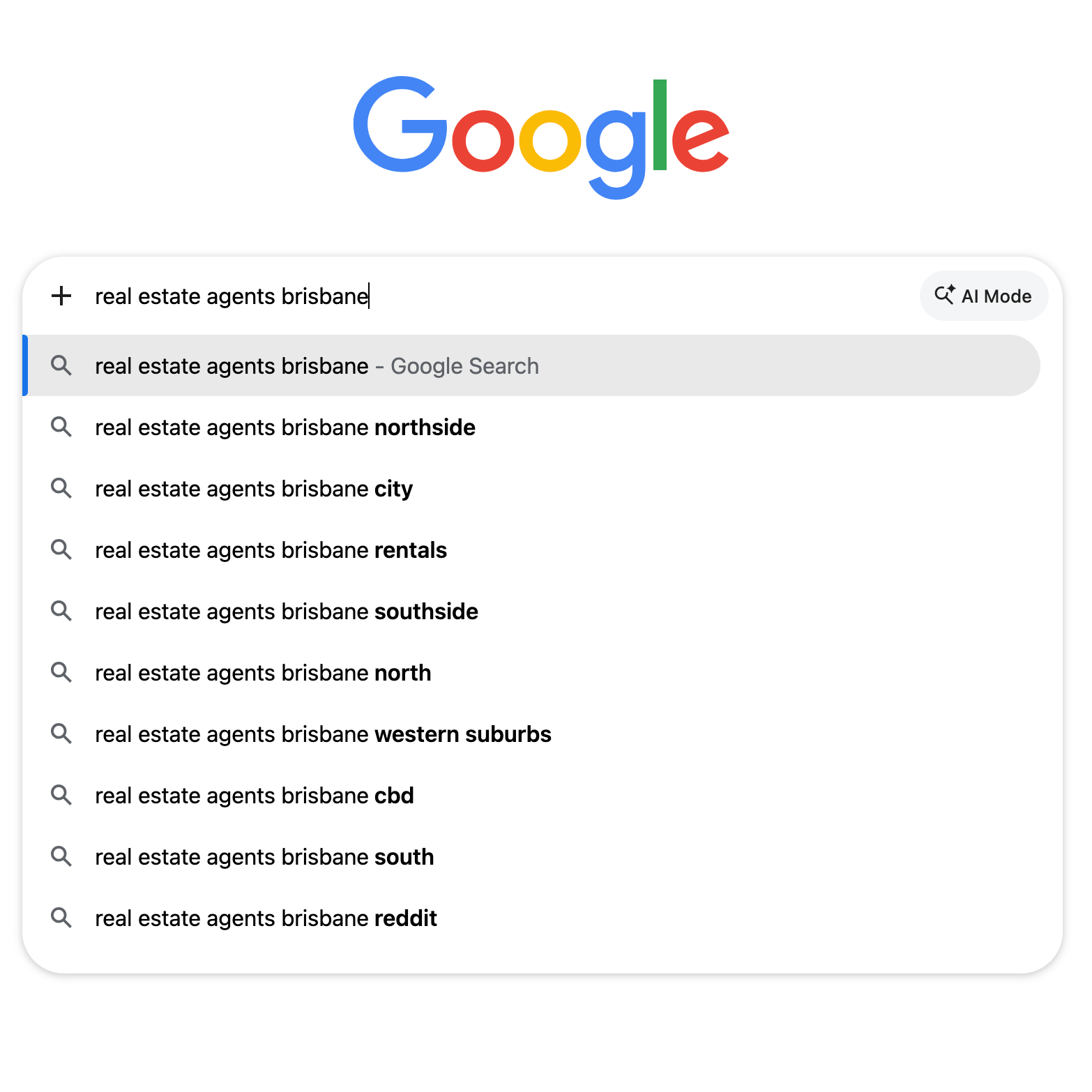
Google’s autocomplete serves you up some marketing gold and provides you with what others have searched before using the same words. We now have 9 keyword phrases based on one search query and you can add these long-tail keyword phrases to your website content.
Pro Tip: Don’t overuse, repeat or add phrases that aren’t related to your content. Always write genuine content that relates to your topic and ensure keywords and phrases add value to your topic and provide a natural flow.
Let’s take it one step further.
Think about the questions your potential customers might ask when they’re looking for information or trying to solve a problem.
Try adding different question starters to your keywords, such as how to, can, will, is, does, what or where. This can uncover a whole new range of searches and give you ideas for useful website content.
Here’s a couple of examples:
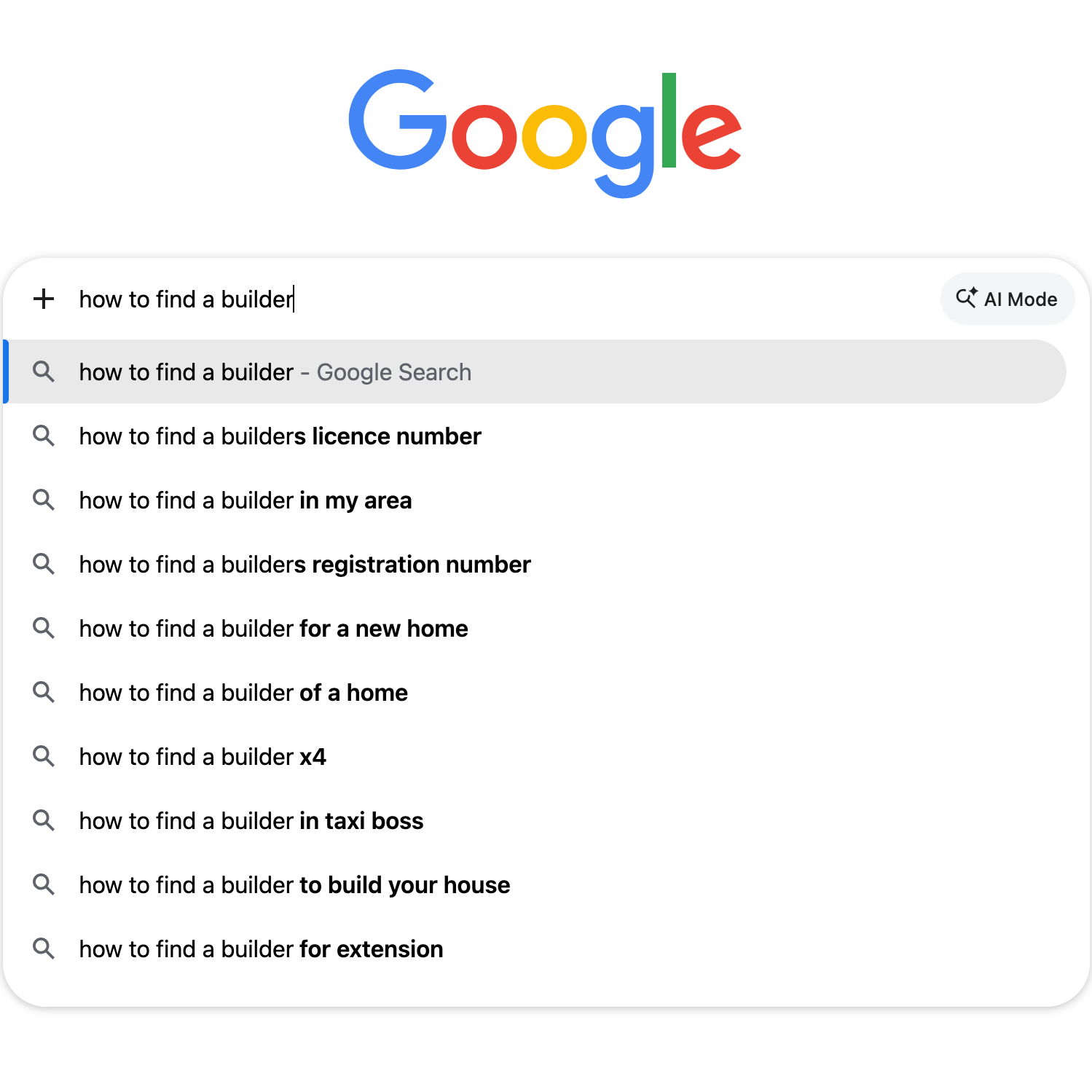
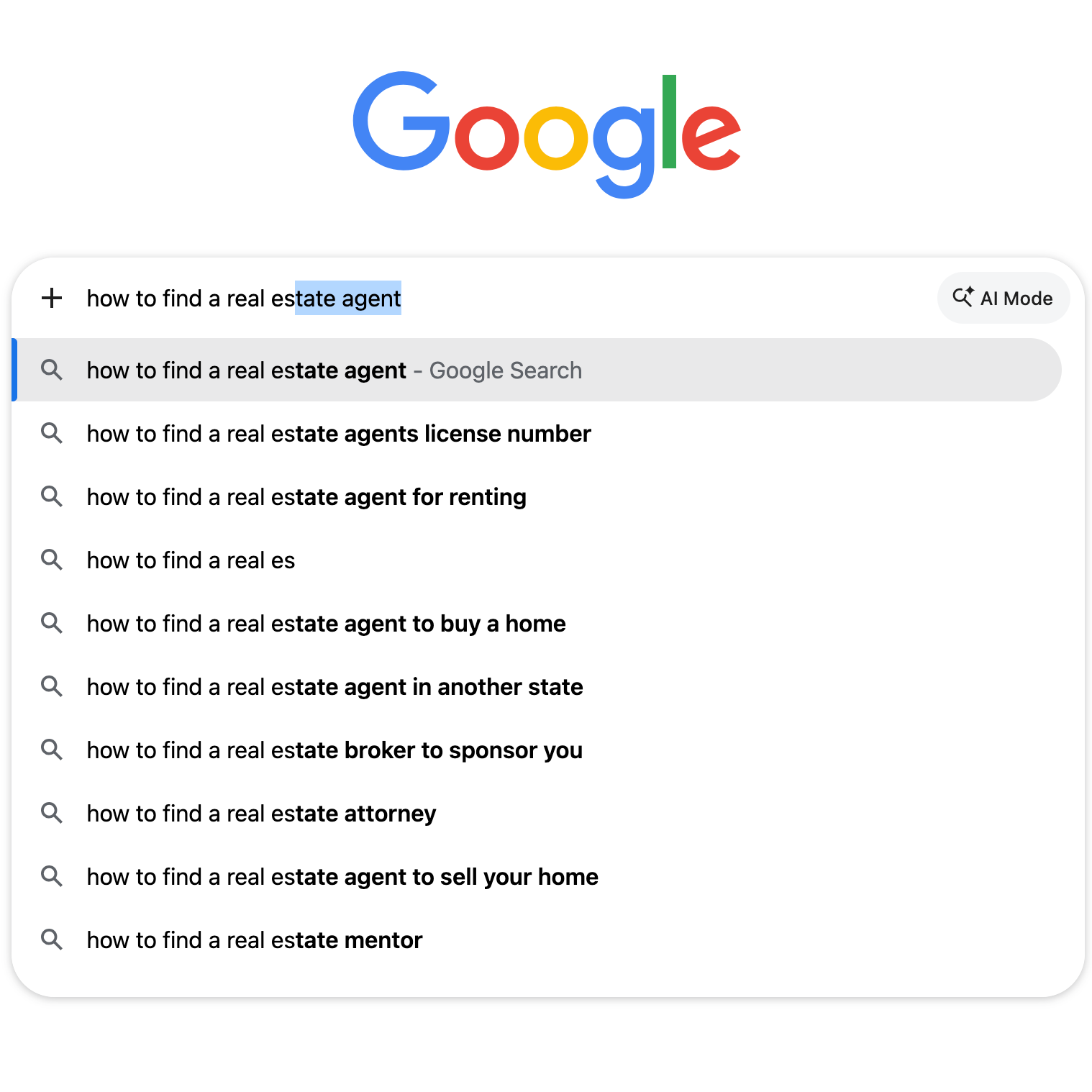
Two simple Google searches have resulted in 19 long-tail keyword phrases that you didn’t pay a cent for, and more importantly, are what your target audience is searching to find your business, products or services.
So, if your goal is to drive more customers to your site who are searching for the thing you do, get to it! Start incorporating relevant keywords naturally throughout your website and create content that answers the questions your customers are actually asking.
A little research can go a long way — and the best part? You can start today, for free.
